
Linaro Membership








Linaro Membership
Being a Linaro member means collaborating on projects which help enable new markets on Arm and solve common problems. Collaboration significantly reduces software fragmentation across the many Arm platforms, enabling participating companies and the community to reduce their costs for development and validation of Arm-based software.
In practise, there are two parts to being a Linaro member.
One part is the technical discussions with Linaro and other industry leaders in which roadmaps and strategy are developed and agreed.
The other part is the collaborative engineering which then takes place between Linaro, member engineers and the open source community to deliver these solutions.
In this sense what we offer is unique - a forum where actual software engineering happens as a result of member companies collaborating with Linaro’s Arm software experts, other industry leaders and the open source community.
In addition to Linaro membership there are other ways of engaging with Linaro. If you need help building a product on Arm and want to leverage Linaro’s Arm and open source expertise, then partnering with Linaro Developer Services is the right option for you.
Or if you simply want to access any of Linaro’s releases you can find these on our Downloads page. We also provide support to the community in addition to our members and services customers. To submit a support query go to the Linaro Support page.
What is the value of becoming a Linaro member?
While the level of influence a member company has varies, depending on what membership type they have, all members benefit from three key factors.
Linaro was formed in 2010 to address the lack of standardization on foundational Arm software. Everyone was creating their own foundational software which was then only applicable to their platforms, resulting in extra engineering effort to make it applicable to other platforms. Linaro, together with other companies working on Arm-based technology, joined forces to create standards for kernel, toolchain and security. We solved the problems we set out to fix but as new technology continues to appear, there will always be a need for standardization to reduce engineering effort and thereby accelerate innovation.
Linaro is the collaboration platform for the Arm partnership. Where everyone comes together to collaborate on open source software, where conversations take place and non-differentiating solutions are discussed and worked upon.
Linaro employs some of the world’s leading Arm software experts, with more than 60 software kernel maintainers looking after more than 100 open source projects. Since our inception, we have been continually ranked by LWN.net in the top ten companies which contribute to the Linux kernel - no small feat for a company with 250 engineers! We are able to successfully and efficiently deliver standardized solutions for the Arm software ecosystem because our team of Engineers are highly experienced and well connected to the Open Source Community.
In order to become part of the open source community, I felt it was important to join our peers. I believe we benefited greatly from joining Linaro since we now have a connection with various communities including Linaro and the Linux Community.
Once needs have been identified and strategy agreed upon, Linaro engineers work with member engineers and the open source community to deliver the solutions. Sharing engineering resource significantly reduces overall development costs and helps accelerate time to market as more engineers - with different perspectives - are able to dedicate time to building software, problem solving and troubleshooting.
Linaro are like the all-star team of open source technology in many ways. This is a group of highly experienced experts that know what they’re doing. We learn a lot by being members of Linaro that we wouldn’t be able to learn in any other community.
Linaro offers four different types of membership
Core members drive the direction of software development in the Arm ecosystem. They can participate in any of Linaro’s projects or segment groups and have access to their own dedicated engineering team.

Club members influence the direction of Arm software development and can participate in any of Linaro’s segment groups. At an additional fee, they can also have access to their own dedicated engineering team.
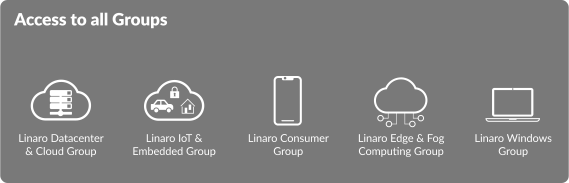
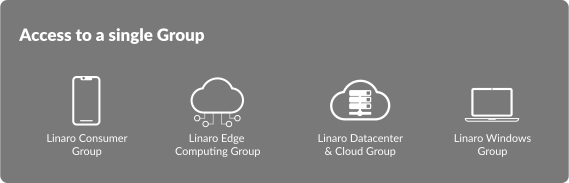
Group Members drive strategy within a specific vertical and can participate in any of the Linaro projects set up by their segment group. Linaro’s Segment Groups are Linaro Consumer Group, Linaro Datacenter & Cloud Group, Linaro Edge & Fog Computing Group and Linaro IoT and Embedded Group.
Project Members join one Linaro project. Project membership is available by invitation only, to find out how to join at project level, email us at contact@linaro.org

To find out more about membership please complete this form
