


What this approach is trying to solve
When a regression is reported by CI or an individual contributor, it usually comes with context, such as:
- An architecture
- A Compiler version
- A kernel configuration
- For boot or test regressions, a device
- Sometimes a specific test
The information describes the environment where the regression was seen. The problem is that this context is often incomplete or hard to reproduce locally.
TuxMake and TuxRun are open source tools created by Linaro which are part if the Kerncel CI project, currently powering its build and test pipelines. The tools are used to build, boot, and test Linux kernels in a reproducible way. They help by making the build and test environment part of the command itself.
That command can then be used directly with git bisect run.
The basic idea
The idea is straightforward:
- Use containers to fix the build environment
- Use predefined runtime environments for boot and test
- Let git bisect run decide good or bad based on exit codes
Git moves through the commits. The environment stays the same.
What you need
You need a kernel tree to bisect.
You also need podman or docker installed.
Then the simplest way to get started is to install both TuxMake and Tux Run using pip.

This installs the tools under your user account and works on most Linux distributions.
This is a good option if you want to try things quickly or do not want to modify system packages.
If you prefer system packages, both tools are also available as deb and rpm packages.
You can find the official instructions here:
- Tuxmake packages: deb, and rpm
- TuxRun packages: deb, and rpm
Using distribution packages makes it easier to manage upgrades and system wide installs, but the rest of the post works the same regardless of how the tools are installed.
Checking what TuxMake supports
Before starting a bisect, it helps to see which targets are available.
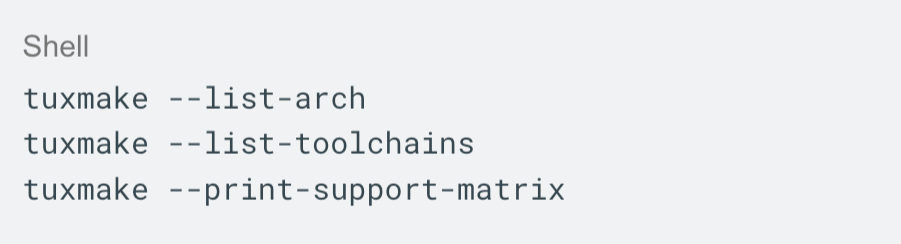
This makes it easier to match the setup used in the bug report.
You do not have to guess compiler names or architecture strings.
Bisecting a build failure
Kernel builds work well with git bisect run.
The rules are simple
- Exit code 0 means good
- Any non zero exit code means d
A basic build bisect looks like this:
- Exit code 0 means good
- Any non zero exit code means bad
A basic build bisect looks like this:
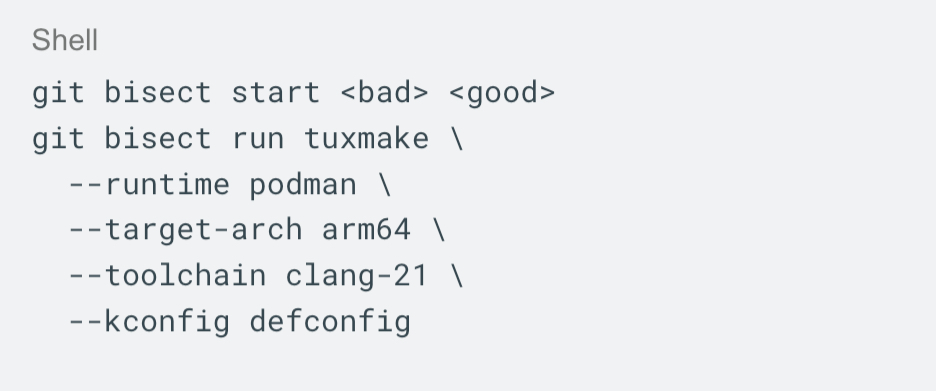
For each commit, the kernel is built in a clean container. The compiler and configuration do not change between steps.
Matching bug report configurations
CI often uses kernel configurations that are larger than the default build. The LKFT project publishes configuration fragments that are needed for functional testing.
Reusing these fragments helps keep the local bisect aligned with CI behaviour. Here is an example:
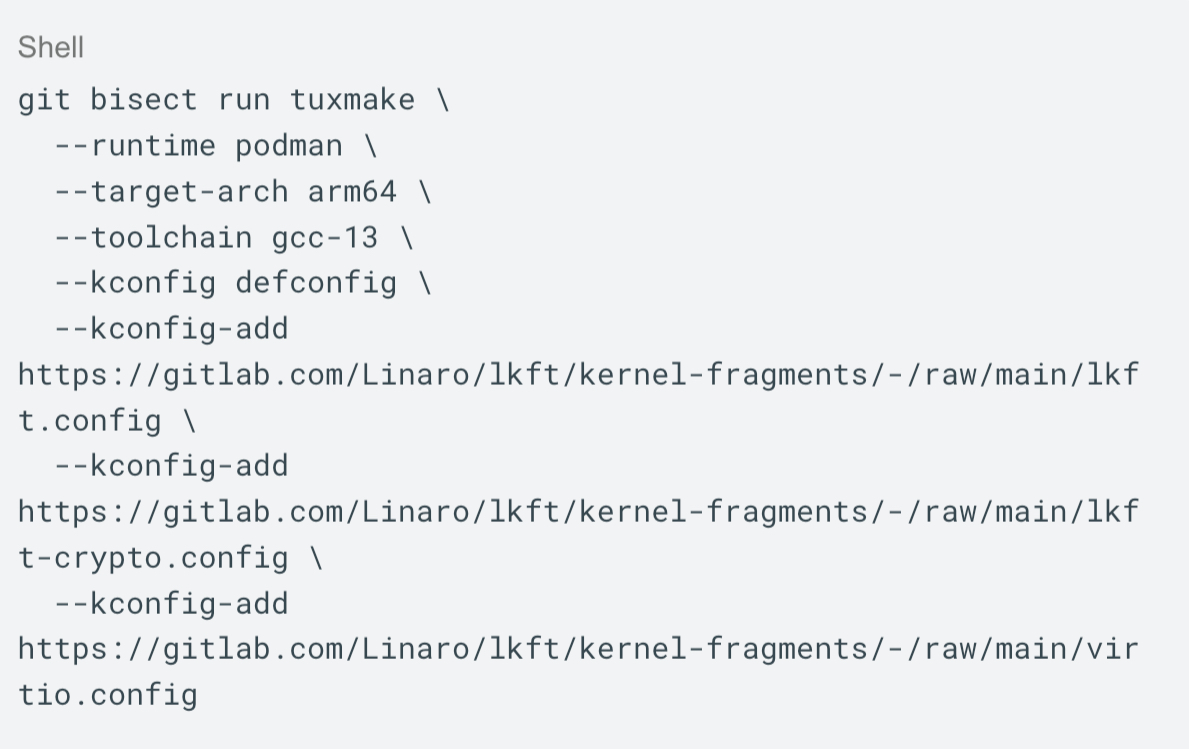
This reduces the gap between local testing and what CI is reporting.
When a build is not enough
A successful build does not mean the kernel works.
Some regressions only show up at boot. Others appear during runtime tests.
For these cases, the kernel needs to be booted and tested during the bisect.
That is where TuxRun comes in.
Using TuxRun for boot and test bisection
TuxRun provides predefined execution environments, based on QEMU and ARM’s fast model (FVP).
You can list available devices with:

Each device represents a known runtime setup.
Using these avoids hardcoding QEMU command lines in scripts.
Selecting a QEMU version
By default, TuxRun does not require a QEMU image to be specified.
If –qemu-image is not set, TuxRun uses the QEMU version from the latest Debian release.
This is the default and works for most cases.
If you need to match a specific QEMU version, or test against upstream QEMU, you can override this.
Example:

This selected QEMU image becomes part of the command and stays fixed during the bisect.
Writing TuxRun into git bisect run
For boot and test bisection, TuxMake can call TuxRun through a results hook. Create a configuration file under ~/.config/tuxmake, for example:
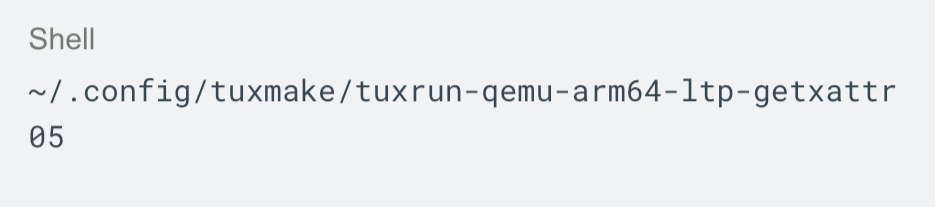
With content like:
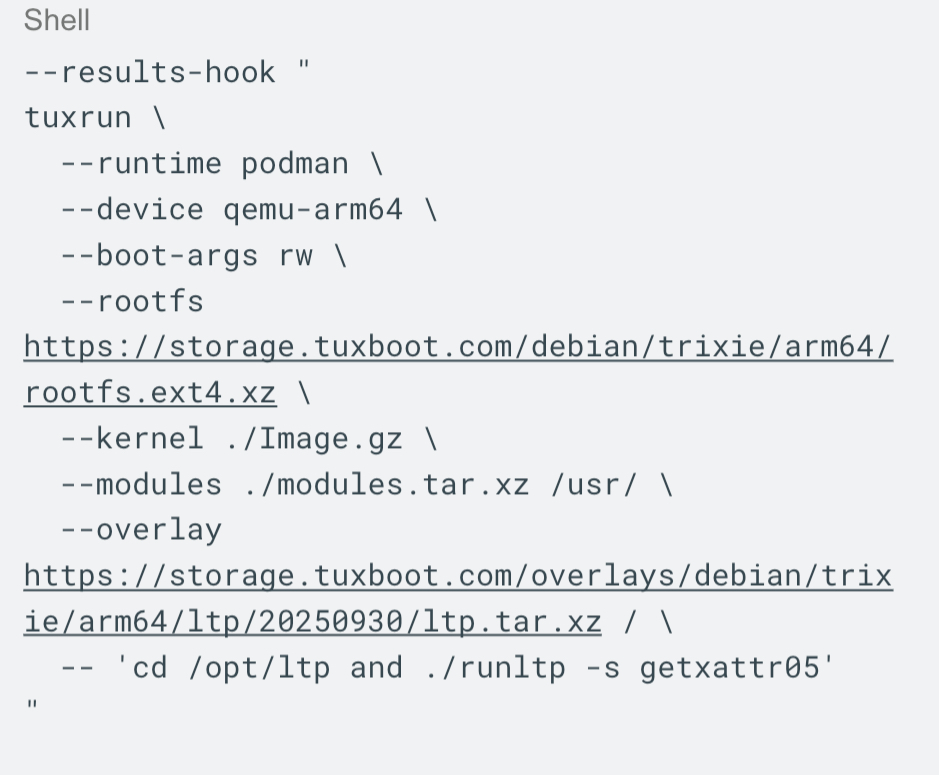
If the kernel fails to boot or the test fails, TuxRun exits with a non zero code.
This fits cleanly into git bisect run.
A complete boot and test bisect
Putting it together looks like this:
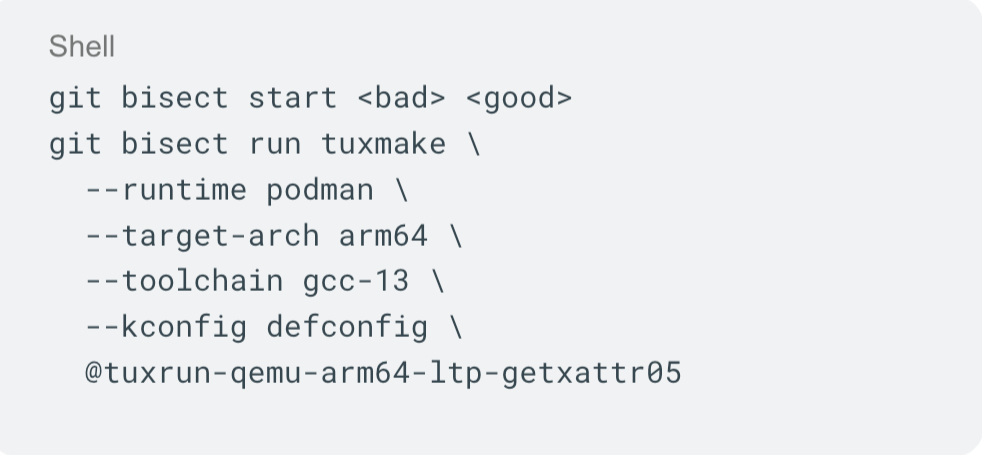
Each commit is built, booted, and tested in the same environment. Git narrows the history. The environment does not move.
About the root filesystems
If no root filesystem is specified, TuxRun uses the default one which preinstalled tests. For short bisections, this may be enough.
If userspace matters for the failure, providing an explicit root filesystem gives better control. It also improves long term reproducibility.
Limits of this approach
This approach is meant to keep the build, boot, and test environment stable while bisecting. It works well for regressions that can be reproduced in a controlled setup. For example build failures and many boot or runtime test issues.
Some problems still depend on real hardware behaviour or timing effects that are hard to reproduce in emulation. In those cases, this method may not be enough on its own. Still, for many regressions seen in CI and during development, keeping the environment fixed removes a large source of uncertainty when running a bisect.
Why this is useful
A bisection result is only useful if other people can reproduce it. In practice, this is often difficult because the exact build or test environment is not fully described.
With TuxMake and TuxRun, the compiler, configuration, runtime, and test setup are part of the command itself. The same command can be shared and rerun by reviewers or maintainers without guessing toolchain version or runtime details. This keeps the discussion focused on the regression and usually makes it faster to reach a fix.
I am one of the organisers of the Testing and Continuous Delivery devroom at FOSDEM. If you want to learn more about how you can use Tuxmake and Tuxrun to identify regressions and propose fixes faster, you are welcome to find me there!